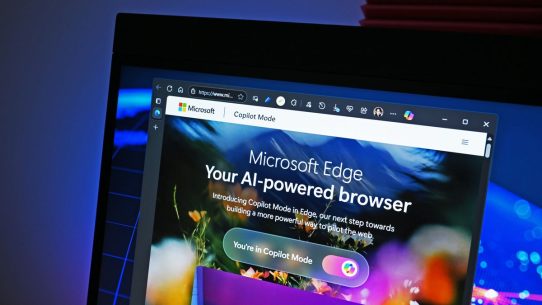


As AI tools become more embedded in everyday workflows, the browser — our main gateway to the internet — is undergoing a transformation.
BrowserOS, an open-source project from the team at browseros-ai, reimagines the browser as an AI-powered operating system.
Built on Chromium, BrowserOS allows users to run AI agents locally, manage data privately, and integrate external tools through the Model Context Protocol (MCP). It’s not just another browser — it’s a platform for autonomous AI interactions on the web.
What Is BrowserOS?
BrowserOS is a privacy-first, AI-integrated browser designed for developers, researchers, and privacy-conscious users who want AI functionality without relying on centralized cloud systems.
Unlike most AI-driven applications that process data on external servers, BrowserOS enables:
- Running AI agents directly inside the browser.
- Using your own API keys or local models via Ollama.
- Acting as an MCP server, allowing external AI clients (like Claude Code or Gemini CLI) to control the browser via standardized protocols.
- Full open-source transparency under the AGPL-3.0 license.
Key Features
1. Agentic Browser Experience
BrowserOS transforms the traditional browsing model into an interactive AI workspace. Agents can read, act, and respond to web content — automating repetitive tasks such as research, summarization, or testing.
2. Local Execution for Privacy
Your data stays where it belongs: on your machine.
Users can connect local models via Ollama or use self-hosted endpoints instead of sending data to cloud providers.
3. Built on Chromium
The familiar interface of Chrome — with full extension support — means you can switch seamlessly while gaining powerful AI integrations.
4. MCP Integration
BrowserOS natively supports the Model Context Protocol (MCP) — the same standard used by leading AI clients. This makes it possible to treat BrowserOS as a programmable environment, where AI models can trigger browser actions safely and transparently.
5. Fully Open-Source and Extensible
Developers can fork, extend, and inspect the entire BrowserOS codebase, adapting it to custom workflows or enterprise security requirements.
Why BrowserOS Matters
The modern browser has evolved from a static content viewer to a dynamic control hub. BrowserOS takes this evolution further by embedding AI as a native layer — not just an add-on.
This shift enables new possibilities:
- Personal automation (AI can browse, summarize, and interact for you).
- Enterprise privacy (AI without external API calls).
- Interoperability (thanks to MCP, BrowserOS connects with other AI agents and apps).
In short, BrowserOS makes the browser an AI execution environment, not just a display layer.
Technical Architecture
BrowserOS relies on a modular structure:
- Frontend: Chromium-based UI with multi-tab and extension support.
- Agent Engine: Manages AI actions, context, and state within the browser.
- MCP Server Layer: Exposes browser actions to external AI systems via standardized APIs.
- Local Model Bridge: Integrates Ollama or other LLMs running locally.
This layered design allows developers to extend BrowserOS without compromising security or user control.
Challenges and Limitations
Like any early open-source project, BrowserOS faces a few challenges:
- Performance: Running AI agents locally may demand more CPU/RAM resources.
- User Experience: Advanced setup (e.g., configuring MCP or local LLMs) may be complex for non-technical users.
- Extension Compatibility: Not all Chrome extensions may function flawlessly out of the box.
However, as the community grows, these issues are expected to improve rapidly — especially with open collaboration.
Real-World Use Cases
- Developers: Automate testing, debugging, or web scraping through autonomous agents.
- Researchers: Summarize, organize, and annotate web data securely.
- Teams: Integrate BrowserOS into private networks to protect proprietary data while using AI tools.
How to Get Started
To try BrowserOS, clone the repository and follow setup instructions:
git clone https://github.com/browseros-ai/BrowserOS.git
cd BrowserOS
npm install
npm run start
You can then connect it to your local Ollama models or external MCP clients.
Documentation and contributions are available at github.com/browseros-ai/BrowserOS.
Conclusion
BrowserOS represents a new generation of browsers — where AI is not just integrated but deeply embedded into the user experience.
By combining open-source transparency, local execution, and MCP interoperability, BrowserOS could redefine how we interact with both the web and AI systems.
If traditional browsers let you “browse the web,” BrowserOS lets you command it intelligently.