
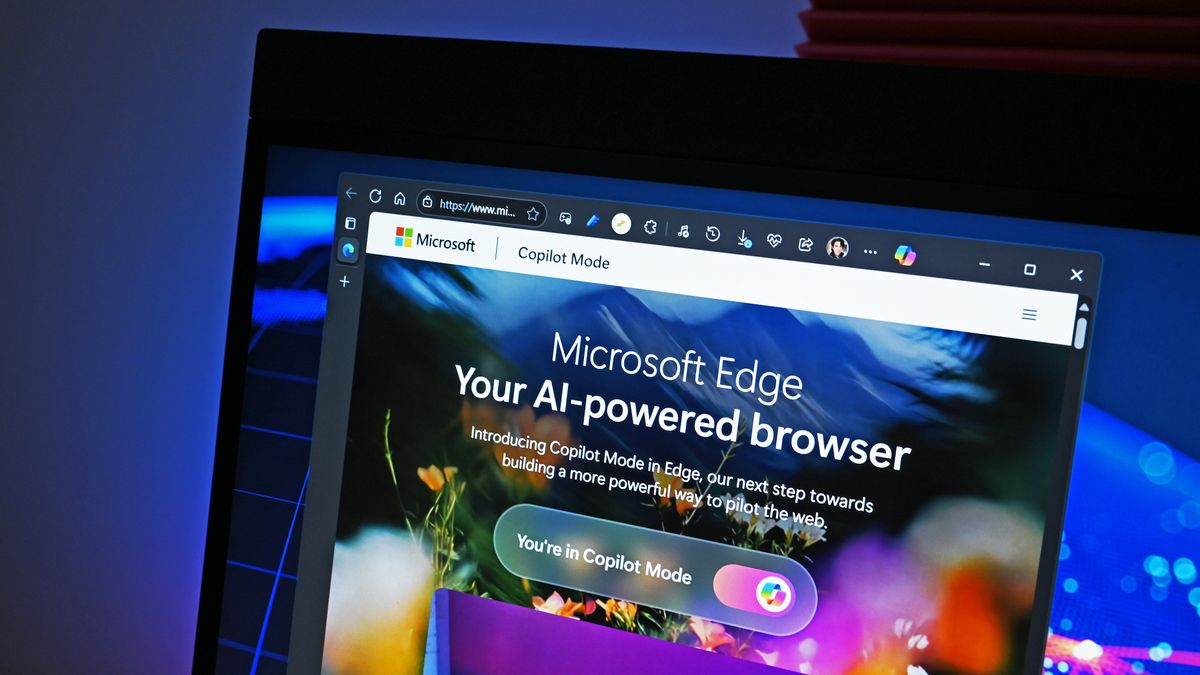
For decades, web browsers have worked the same way: open a tab, search for something, read a page, and repeat. With the launch of Copilot Mode in Edge, Microsoft is transforming how we browse the web. Copilot Mode turns the browser into an intelligent assistant rather than a passive tool.
What Is Copilot Mode
Copilot Mode is an experimental feature in Microsoft Edge that brings together chat, search, and navigation in a single interface. When enabled, users see a new streamlined tab page with one input box for questions, web searches, and commands. With permission, Copilot can view all open tabs to provide context aware assistance across browsing sessions.
Core Features
Multi Tab Context Awareness
Copilot can analyze all open tabs, compare content, summarize information, and draw conclusions, reducing the need to switch between multiple pages.
Natural Voice Navigation
Users can use voice commands to interact with Copilot. From finding content on a page to opening multiple tabs, voice control makes browsing more natural.
Unified Interface for Chat, Search and Navigation
Instead of using separate tools, Copilot Mode merges chat, search, and navigation into one simplified workflow.
Optional and User Controlled
Copilot Mode is optional and easy to disable. Users can switch back to the classic browsing experience anytime in settings.
Why This Matters
The modern web is complex. Many users open dozens of tabs, search across multiple sites, and multitask constantly. Copilot Mode offers a more human centric approach by anticipating needs, providing assistance, and saving time. It represents a major shift from browsers as passive tools to collaborative digital assistants that work with users.
Implications for Productivity and Privacy
While Copilot Mode boosts productivity, it also introduces important privacy considerations. Because it can access open tabs and browsing data, users must decide what level of access they are comfortable granting. Microsoft emphasizes transparency and user control, allowing people to choose when and how Copilot can use their data.
Availability and Rollout
Copilot Mode is available for free, on an opt in basis, in all Copilot markets through Edge for Windows and Mac. Some advanced features, such as task automation and history based “Journeys,” are currently in limited preview.
Conclusion
Microsoft Edge’s Copilot Mode is more than just a feature. It marks the evolution of the browser into an intelligent, context aware assistant that anticipates user intent and simplifies how we interact with the web.
If you want to explore the next generation of web browsing, you can enable Copilot Mode in Edge today and experience a smarter, more connected way to navigate online.